 IT & Networking
 Table of Contents
Wi-Fi is everywhere, and for many small business owners it feels like enough. But the businesses that run reliably - that don’t drop video calls, that process payments without hiccups, that support five or ten workstations without degradation - almost always have one thing in common: a properly installed structured cabling system underneath the wireless network.
This guide explains what structured cabling is, why it matters for small businesses in Bucks County and Montgomery County, how to think about Cat6 vs Cat6A, and what to expect when you bring in a professional cabling contractor.
What Is Structured Cabling?
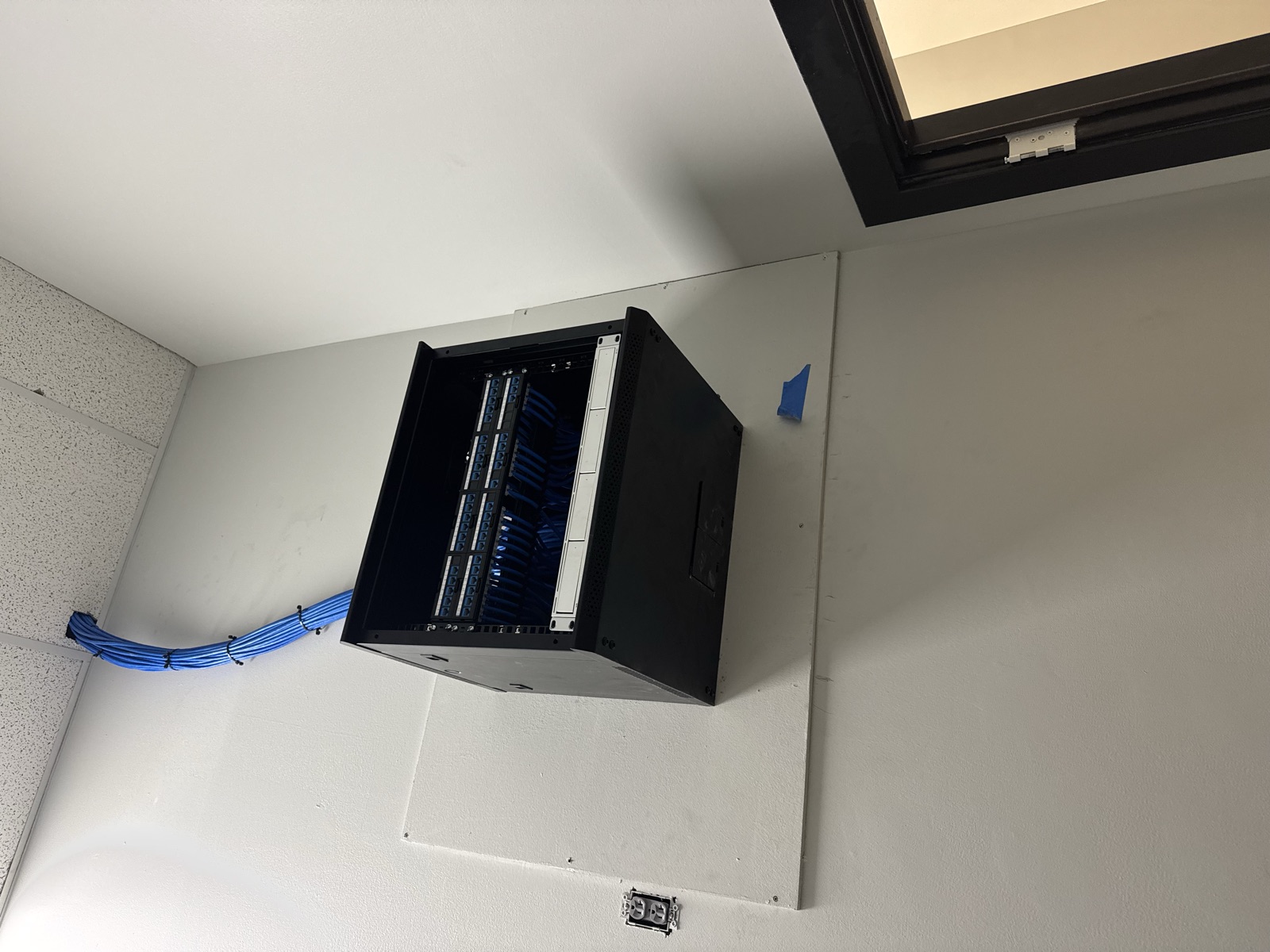
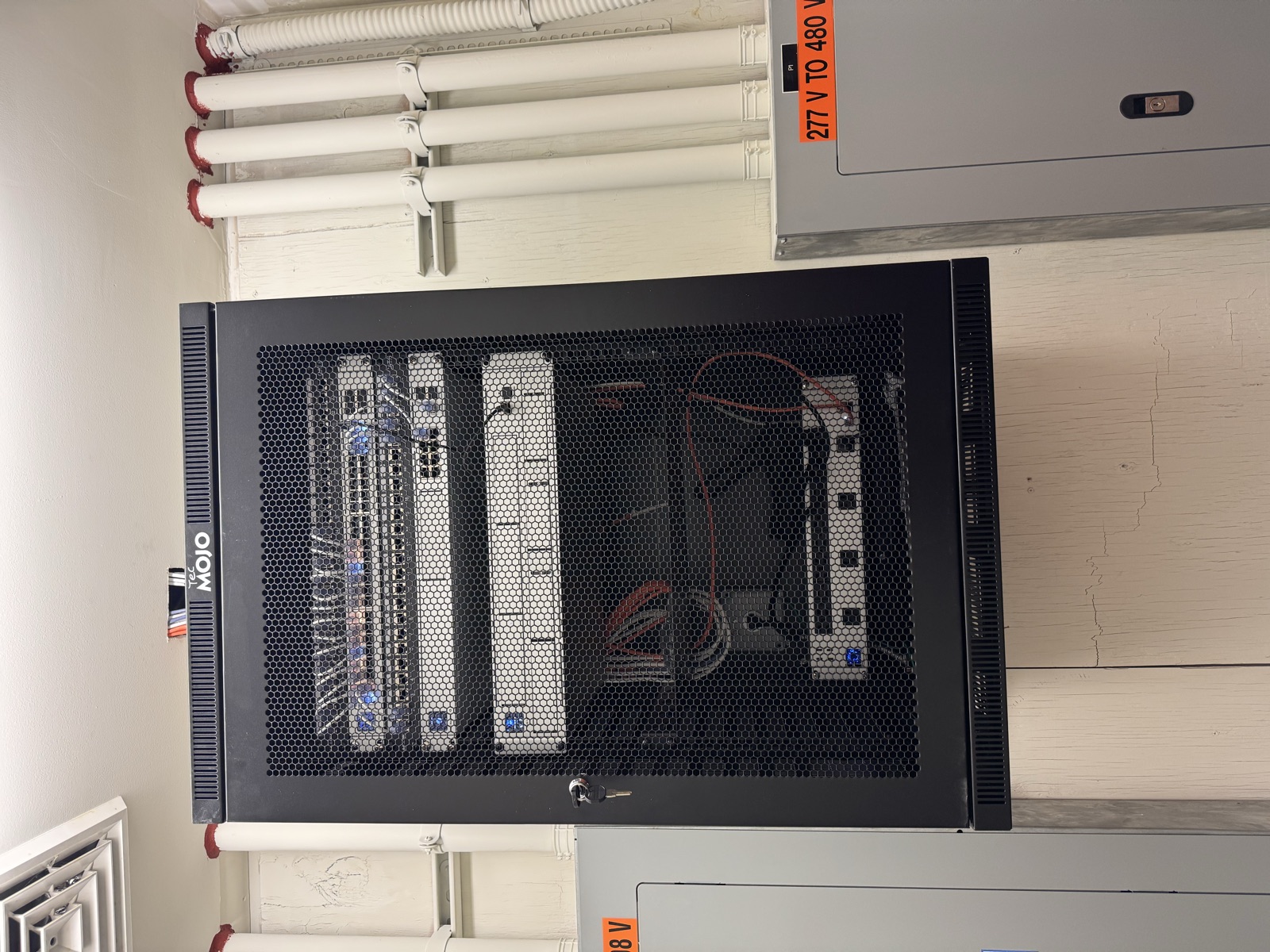
Structured cabling is the standardized infrastructure of cables, connectors, patch panels, and hardware that forms the backbone of a business network. Rather than running individual cables ad hoc for each device, structured cabling follows a planned architecture - typically with a central telecommunications room or closet (IDF/MDF), horizontal cabling runs to each workstation or access point, and patch panels that allow flexible connections.
The result is a network that’s organized, documentable, and scalable. Every port is labeled, every run is tested, and adding or changing devices is a matter of moving a patch cable - not fishing new wire through walls.
For small businesses in Bucks County and Montgomery County, a structured cabling project typically involves:
- Cabling a leased commercial suite or office build-out
- Upgrading an existing office that was wired informally over time
- Setting up a new location from scratch
Cat6 vs. Cat6A: Which Should You Choose?
This is the most common technical question in any cabling project. Here’s the practical breakdown:
Cat6 supports 10 Gbps at distances up to 55 meters and 1 Gbps at the full 100-meter standard run length. For most small business environments - a 10–30 person office where individual workstations don’t need more than 1 Gbps - Cat6 is sufficient and cost-effective. It’s thinner, easier to terminate, and produces less heat in bundled runs.
Cat6A (Augmented Category 6) supports 10 Gbps at the full 100-meter run length, with better alien crosstalk performance in dense cable environments. It’s the right choice when:
- Your business relies on high-throughput applications (video production, large file transfers, on-premise servers)
- You’re building out a new space and want headroom for the next 15–20 years
- Your access points require 10 Gbps uplinks to support high-density Wi-Fi 6/6E deployments
- You’re in a data-intensive industry (medical imaging, legal document management, financial services)
Cat6A costs 20–40% more per run than Cat6 in materials and labor, but it’s a relatively small premium against the total project cost - and a significant upgrade in future-proofing. For businesses planning to stay in a space for more than five years, Cat6A is increasingly the professional default recommendation.
The Business Case for Structured Cabling Over WiFi-Only
Wireless networks are fast, convenient, and essential for mobile devices and guest access. But they’re not a substitute for wired infrastructure in a business environment. Here’s why:
Reliability. Wired connections don’t drop. They don’t get congested during video calls. They don’t compete with neighboring businesses’ Wi-Fi signals in a shared building. For point-of-sale systems, VOIP phones, security cameras, and anything mission-critical, a wired connection is simply more dependable.
Speed and latency. Even on a fast Wi-Fi 6 network, wired connections consistently outperform wireless for sustained throughput and latency-sensitive applications. Video conferencing, cloud backups, and VoIP all perform better on wired connections.
Security. Wireless networks are inherently more vulnerable to interception and unauthorized access than wired ones. A structured cabling system limits network access to physical ports - and physical ports can be locked, monitored, and controlled.
Capacity. A single access point can only support so many simultaneous devices before performance degrades. Structured cabling distributes load across wired connections, reducing the burden on your wireless infrastructure and allowing your access points to perform better for the devices that genuinely need Wi-Fi.
Planning a Structured Cabling Project
A well-planned cabling project starts before a single hole is drilled. Here’s how the planning process typically works:
1. Site survey. A cabling contractor walks the space to assess wall construction, ceiling access, existing conduit, the location of the electrical panel and any existing telecom infrastructure, and the distance from the main distribution frame to each planned outlet.
2. Outlet location planning. You identify where every workstation, printer, IP phone, access point, security camera, and other network device will live. The contractor adds 20–30% extra drops as a buffer for growth and flexibility.
3. Cable routing. The contractor determines how cables will be routed - through drop ceilings, in conduit along walls, through core-drilled holes in concrete, or a combination. Routing complexity is one of the biggest variables in project cost.
4. Equipment selection. Patch panels, switches, UPS units, and rack or wall-mount enclosures are specified. For small offices, a simple wall-mount enclosure often suffices.
5. Quote and schedule. A professional contractor provides a written quote covering materials, labor, testing, and documentation. Most small office projects run 1–3 days for installation.
What Future-Proofing Actually Means
“Future-proofing” gets thrown around loosely, but in structured cabling it means specific things:
- Installing Cat6A instead of Cat6 gives you 10 Gbps headroom without rewiring
- Running conduit (rather than just cable) through finished walls allows future cable upgrades without demolition
- Installing spare conduit pathways costs almost nothing at build-out time and saves significant cost later
- Over-building outlet density (more drops than you currently need) is far cheaper during initial installation than adding drops later
- Documenting and labeling every run means any future contractor or IT staff can work with the system without guessing
For businesses in Bucks County and Montgomery County that are growing or expect to upgrade their technology over the next decade, these decisions made at installation time pay dividends for years.
What to Expect From a Professional Installation
A professional structured cabling installation in the Philadelphia suburbs follows a clear process:
Permitting. Low-voltage cabling typically doesn’t require a permit in most Pennsylvania municipalities, but electrical work associated with the project (new circuits for the telecom room, outlet installation) may. A licensed contractor handles this.
Installation. Cable runs are pulled cleanly through walls and ceilings. Cables are properly dressed, bundled, and labeled throughout. Keystone jacks are punched down at each outlet. Cables are terminated and dressed at the patch panel.
Testing. Every run is tested with a cable certifier. You receive documentation showing each run passed continuity and performance tests. This documentation is important for warranty purposes and for any future troubleshooting.
Documentation. A professional contractor labels every port, produces a cabling diagram, and hands you a complete record of the installation. This is what separates a professional installation from a DIY job done by whoever was available.
FAQ
Q: How much does structured cabling cost for a small business in Bucks County? A: Costs vary based on the number of drops, cable category, building construction, and routing complexity. As a rough benchmark, professionally installed and tested drops typically run $125–$250 per drop installed (materials and labor). A 20-drop office installation might range from $2,500 to $5,000. Get a written quote that includes testing and documentation.
Q: Can I add structured cabling to an existing office without major disruption? A: Yes. Experienced contractors work in occupied spaces regularly. Runs through drop ceilings are minimally disruptive. Runs through solid walls or concrete require more planning and may be scheduled for off-hours. A site survey before quoting will identify any areas that require special handling.
Q: Do I need structured cabling if I’m only moving into a space temporarily? A: For short-term occupancy (less than 2 years), a lighter approach using wireless with minimal wired drops may be appropriate. For anything longer, the reliability and productivity benefits of a proper cabling infrastructure justify the investment. Many business owners who try to get by on Wi-Fi-only regret it within the first year.
Ready to plan a structured cabling installation for your Bucks County or Montgomery County business? Call Graff’s Electric & IT at (215) 559-1989 or visit graffselectric.com to schedule a site assessment. We work with small businesses throughout the region, including Warminster, Doylestown, Lansdale, Horsham, Blue Bell, and surrounding communities.
Sponsored
Need a Licensed Electrician?
Serving Bucks & Montgomery County. Free estimates on all projects.
Get Your Free EstimateNeed Help With This?
Graff's Electric & IT Solutions is here to help with all your electrical and technology needs in Bucks & Montgomery County.